
Operational Transparency in AI-Assisted MVP Development (Build Trust 2026)
When studios say "we use AI," how do you know what's real? Learn what genuine transparency looks like—weekly demos, open code, decision logs. Read the full guide.
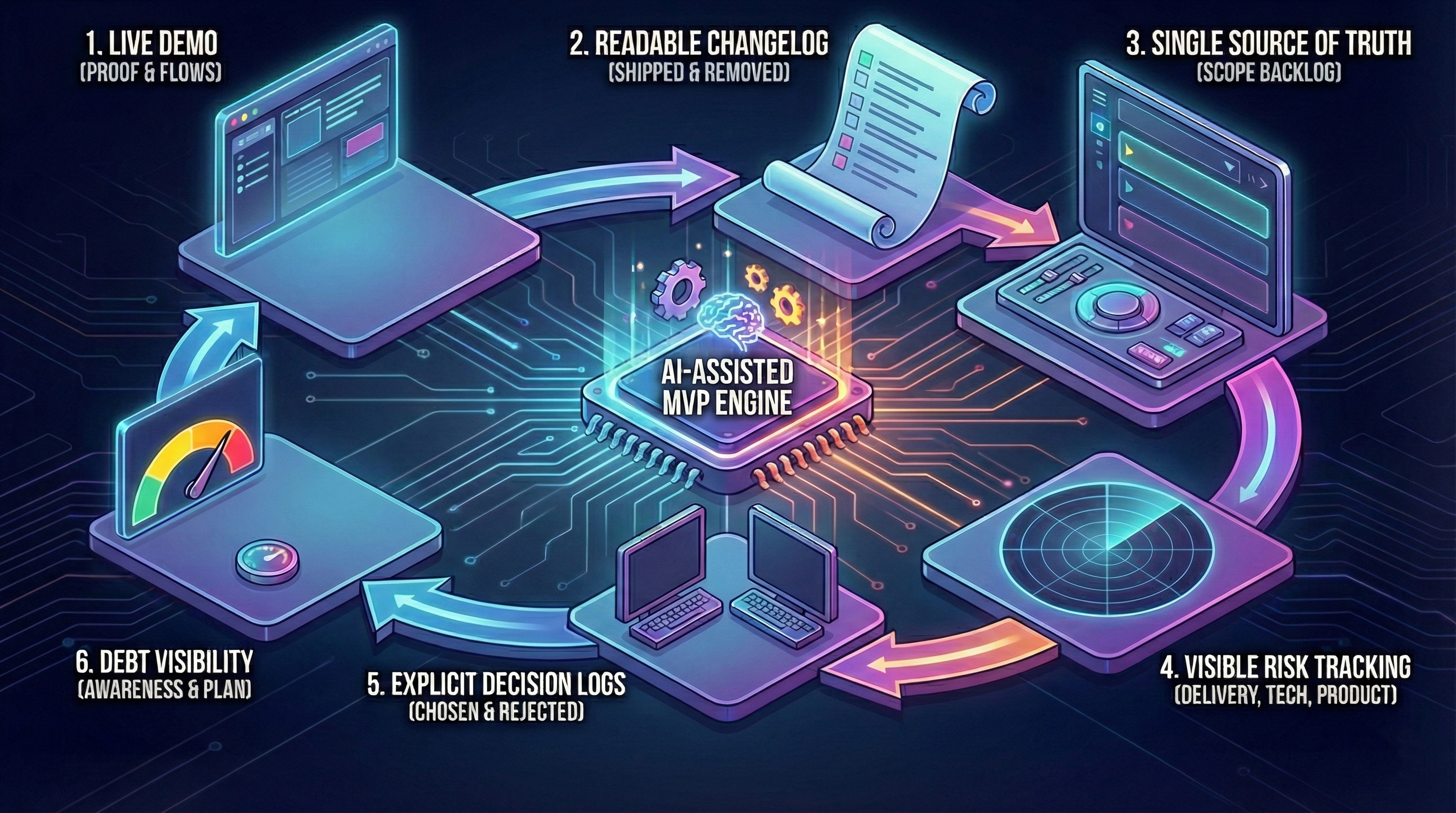
When a studio says “We use AI to build faster,” founders ask:
> “How do I know what’s happening? Is it just AI spaghetti?”
This article shows what operational transparency looks like in 2026—when AI is part of the workflow.
For context:
What Transparency Means (Not Buzzwords)
Transparent studio:
- Shows work-in-progress (not just final deliverable).
- Explains decisions (why X, not Y).
- Admits mistakes early (not at launch).
- Tracks costs clearly (hours breakdown).
Opaque studio (red flags):
- “Trust us, it’s almost done” (no demos).
- No access to code until handoff.
- “Don’t worry about details” (no explanations).
- Surprise cost overruns.
Weekly Demos: Show, Don’t Tell
What we do at The Byte-sized:
- Every Friday, 1 hour: Screen share demo on staging.
- Show real progress: Not slides, actual working features.
- Get feedback: “This dropdown should be searchable” → adjust next week.
What founders see:
- Week 1: Architecture doc + database schema.
- Week 2: Login + signup working (test accounts provided).
- Week 3: Core feature functional (founders test it live).
- Week 4: Integrations (Stripe test mode, send test emails).
- Week 5: Hardening (show error tracking, staging environment).
- Week 6: Final walkthrough + handoff.
Why this matters: Catch issues early. Week 3 feedback costs €0. Week 6 “rebuild checkout” costs €3k.
If you’re evaluating studios, our development approach prioritizes transparency at every step.
GitHub Access: See Code Daily
Transparent:
- Founders added to GitHub repo from Day 1.
- See commits daily (not just final push).
- Can review code anytime (optional, most founders don’t).
Opaque:
- “We’ll send code at the end.”
- No repo access until handoff.
- Can’t verify progress (are they actually building?).
Example: Founder checks GitHub Friday morning before demo. Sees 47 commits this week. Knows team is working (not ghosting).
Decision Log: Why, Not Just What
Every architecture decision documented:
Example Decision Log
Decision #1: Tech Stack
- Choice: Next.js + Supabase + Vercel.
- Why: Fast iteration, low hosting cost, founder knows React.
- Alternatives considered: Django (slower frontend iteration), Firebase (vendor lock-in).
- Trade-offs: Supabase less mature than Firebase, but open-source (can self-host later).
Decision #2: Authentication
- Choice: Supabase Auth (built-in).
- Why: Faster than custom (saves 1 week), secure by default.
- Alternatives: Custom JWT (more control, but more work).
- Trade-offs: Supabase-specific (migration cost if switching DBs).
Decision #3: Payments
- Choice: Stripe.
- Why: Industry standard, handles edge cases (refunds, disputes).
- Alternatives: PayPal (lower trust), custom (too risky for MVP).
- Trade-offs: Stripe fees 2.9% + €0.30 per transaction.
Why this matters: Founders understand trade-offs. No “why did you choose X?” surprises at handoff.
Cost Tracking: Hours Breakdown
Transparent billing (€15k example):
| Week | Activity | Hours | Cost |
|---|---|---|---|
| 1 | Architecture + planning | 20h | €2.5k |
| 2 | Auth + database setup | 24h | €3k |
| 3 | Core feature build | 28h | €3.5k |
| 4 | Integrations (Stripe, email) | 20h | €2.5k |
| 5 | Hardening (tests, staging) | 20h | €2.5k |
| 6 | Bug fixes + handoff | 8h | €1k |
| TOTAL | 120h | €15k |
Opaque billing:
- “Fixed price €15k” (no breakdown).
- “Cost overrun: need extra €5k” (surprise at Week 5).
- No visibility into where time went.
Red Flags: When to Worry
🚩 No Staging Environment
Opaque: “We test locally, it works.”
Transparent: “Here’s staging link: https://your-mvp-staging.vercel.app. Test anytime.”
Why it matters: No staging = testing in production = bugs hit real users.
🚩 No Automated Tests
Opaque: “We manually test everything.”
Transparent: “Core flows have tests. Here’s coverage report: 78%.”
Why it matters: No tests = every change risks regression.
🚩 “Trust Us” Responses
Opaque:
- “Why Next.js?” → “It’s the best, trust us.”
- “Why no tests?” → “We’ll add them later.”
- “Can I see code?” → “After launch.”
Transparent:
- “Why Next.js?” → Shows decision log (alternatives considered, trade-offs).
- “Why no tests?” → “We test core flows (auth, payment). Admin panel not tested (low risk, manual QA okay).”
- “Can I see code?” → “GitHub link: […]. Clone and run locally anytime.”
🚩 Scope Creep Without Adjustment
Opaque: Week 4: “We added 3 new features” (no discussion, no cost adjustment).
Transparent: Week 4: “Founder requested feature X. Adds 8 hours. Options: (a) push to Phase 2, (b) cut feature Y, (c) pay extra €1k. Your call.”
Why it matters: Scope creep kills timelines. Transparent studios negotiate, not surprise.
How AI Changes Transparency
AI makes transparency HARDER:
- Code generated fast (harder to review).
- AI decisions opaque (“Why did AI choose this pattern?”).
- Quality varies (some AI code excellent, some spaghetti).
How we handle it:
- Human review: Every AI-generated code reviewed by senior dev.
- Explain AI choices: “AI suggested X, we chose Y because Z.”
- Show AI usage: “Used Cursor for boilerplate (30% speed boost). Wrote complex logic manually.”
Example: Week 3 demo:
> “This week: Used v0.dev to generate form components (saved 1 day). Wrote payment logic manually (AI hallucinated edge cases).”
Founder knows exactly where AI helped vs where human judgment was critical. This is the core principle behind using AI as an accelerator, not an autopilot.
Post-Launch Transparency
Week 7-8 (included):
- Bug triage: Daily Slack check (response <4h business hours).
- Fix tracking: GitHub issues (founders see status).
- Handoff: 2-hour session (code walkthrough, deployment guide, Q&A).
Beyond Week 8 (optional retainer):
- Monthly report: Hours used, features added, bugs fixed.
- Roadmap sync: Quarterly call (what’s next, cost estimate).
Conclusion: Transparency Builds Trust
Transparency is not about perfection. It’s about:
- Showing work (weekly demos, GitHub access).
- Explaining decisions (decision log, why X not Y).
- Admitting mistakes early (“We chose X, it’s not working, switching to Y”).
- Tracking costs clearly (hours breakdown, no surprises).
Remember: Transparent studio shows staging links Week 1, opaque studio says “trust us” until Week 6.
Red flags: No staging, no tests, no code access, “trust us” responses, scope creep without adjustment.